


MapGame
4.640.00 Reviews
App Specs
- Version
- 3.4.0
- Updated On
- License
- Free
- Downloads
- 100,000+
- Developer
- whidev
- Categories
- Trivia
- Platform
- Android, iOS
Screenshots
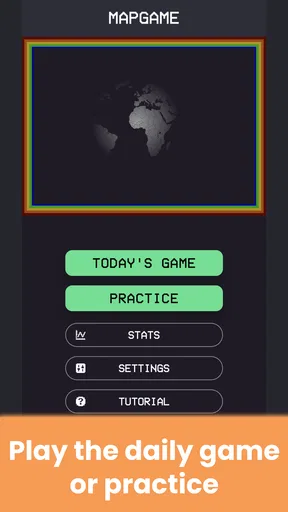
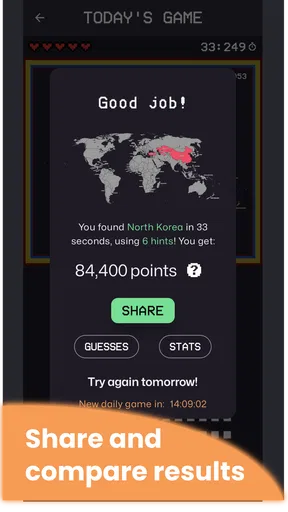
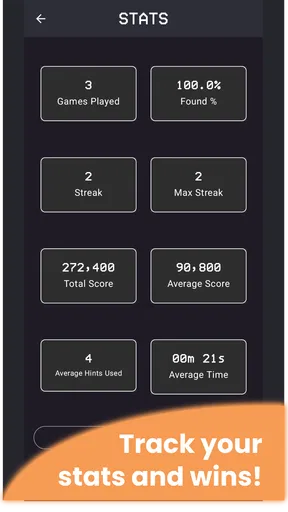
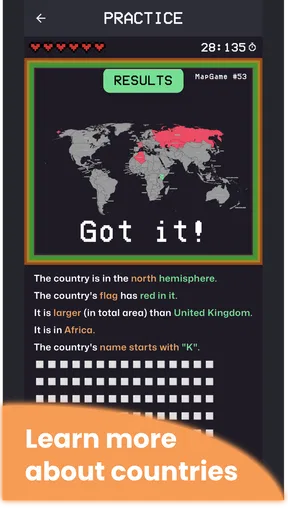
 Analysis by AppCompare
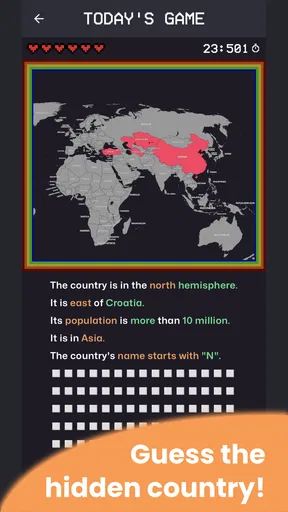
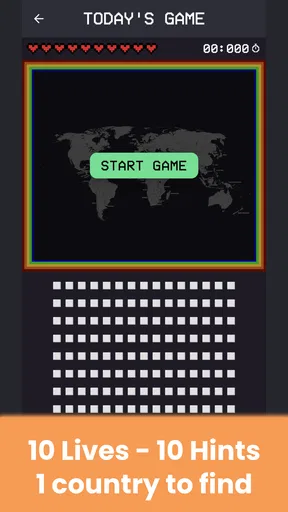
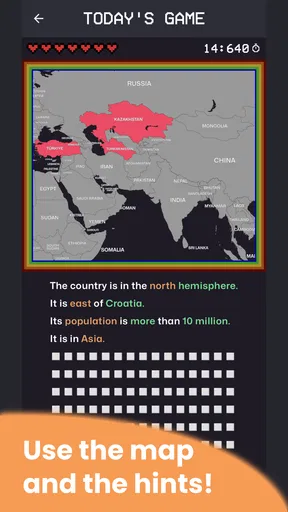
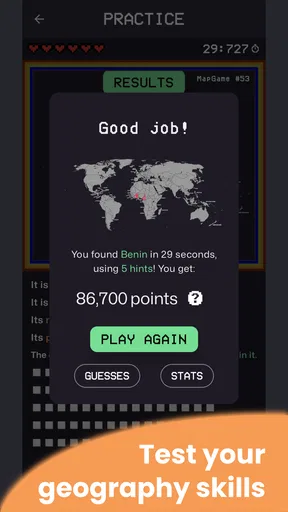
I enjoy trivia games that give me something to think about without asking me to learn a complicated rulebook, and MapGame fits that mood well. It is a geography game from whidev in which I try to identify a hidden country by studying its position on a map. That sounds simple, but the challenge changes depending on how familiar I am with a region, how quickly I recognize borders, and whether I rely on careful reasoning or a rushed guess.
After spending time with it, my impression is that the game works best as a short, repeatable mental exercise. It is free to start, rated for Everyone, and currently listed as version 3.4.0 for devices running Android 9 or later. The store page also lists optional in-app purchases at $3.99 per item, so I would treat the free experience as the main reason to try it and consider any purchase only after deciding that the format genuinely suits me.
What makes the map challenge appealing
The central idea is much more interesting than a standard multiple-choice quiz. Instead of simply selecting a name from a list, I have to connect visual geography with memory. A coastline, a neighboring country, a narrow border, or a position near a familiar sea can all become clues. That makes each round feel like a small deduction problem rather than a test of isolated facts.
This approach also exposes the difference between recognizing a country and actually understanding where it sits. I may know a name immediately but hesitate when the map removes the usual context. Conversely, a country I could not name from memory may become clear once I inspect the surrounding region. That balance gives the game a useful learning quality without turning it into a formal lesson.
The short-description label is simply “MapGame,” while the fuller store summary presents it as a way to guess a hidden country and test geography skills. In practice, I think of it as a focused geography guessing game: it is not trying to replace a detailed atlas, and it does not need to. Its strength is the quick decision followed by the satisfaction—or embarrassment—of seeing whether my mental map was accurate.
The first places players can get stuck
The most obvious difficulty is not the tapping itself but interpreting the map. A player who expects a broad educational quiz may initially wonder what kind of clue to look for. I found it more productive to pause before guessing and inspect the whole visible area. The shape of the highlighted location matters, but so do nearby coastlines, islands, borders, and the overall position within a continent.
Another common stumbling point is overconfidence. Familiar countries are easy to place, so I can fall into the habit of making a fast answer whenever a shape looks vaguely recognizable. That works until two neighboring countries share similar visual cues. My better method is to name two or three possibilities mentally, then eliminate them using geography rather than choosing the first one that comes to mind.
Worth Reading Before You Choose

EA SPORTS FC Mobile 26 Is a Bigger Football Game, but It Takes Time

Flipboard Shows What News Apps Must Do Beyond the Feed

Switching to Android Auto Means Rethinking Your Driving Routine

Google Calendar Makes a Crowded Week Easier to Manage

Ludo King Makes the Most of the Minutes Between Plans

Baby Panda World Brings Quick Play to Modern Phones, but Its Game Library Feels Busy
Small countries and regions near complicated borders can be especially demanding. A player who mainly learned geography through large nations may need more time to build a reliable mental picture. I would not interpret a wrong answer as a failure of the game; it is often a sign that the map is testing a detail I have never properly learned.
The most useful habit is to treat every round as a clue-reading exercise, not a speed contest. Even when I miss, I can remember the surrounding geography and use that knowledge in a later round. That makes the game more rewarding than a trivia app where an incorrect tap disappears with no lesson attached.
Who will enjoy it most
MapGame is a good fit for people who like geography, casual trivia, and games that can be played in small gaps during the day. I can imagine opening it while waiting for an appointment, taking a few turns during a commute, or using it as a light wind-down activity before bed. It does not require the commitment of a long strategy game, and the map-based format gives it more substance than a random question generator.
It can also work well for families, provided an adult is willing to discuss the answers with younger players. The Everyone content rating makes it approachable, but age suitability does not automatically mean every child will understand the geography. A parent or teacher could turn a missed answer into a conversation about neighboring countries, seas, languages, or travel routes.
I would be more cautious about recommending it to someone who wants a complete geography course. The game can strengthen recognition and spatial memory, but repeated guessing alone will not teach every capital, flag, border change, or historical detail. For that purpose, an atlas, structured learning app, or classroom resource would be a better companion. MapGame is strongest as practice and reinforcement, not as a complete reference work.
Setup checks before blaming the game
Because this is a straightforward mobile game, the first setup question is compatibility. The current listing requires Android 9 or later, so anyone using an older device should check the operating system before spending time troubleshooting installation or launch problems. A device that falls below that requirement is a more likely explanation than a fault in the game itself.
I would also make sure the installation has finished properly and that the device has enough free storage for a normal app installation. If the game does not appear after downloading, restarting the device and checking the app store’s pending updates are sensible first steps. These are ordinary checks, but they prevent a player from mistaking a temporary installation issue for a gameplay problem.
When the app opens but a map does not behave as expected, I would close it completely and reopen it before changing anything more serious. If the problem continues, checking whether other apps are responding normally can reveal whether the issue is limited to MapGame or connected to the phone itself. Keeping the operating system and the game on their available current versions is also a reasonable maintenance step; the listed game version is 3.4.0.
I would avoid immediately uninstalling the game if I have made progress I care about. Reinstallation can be a useful last resort for a damaged local installation, but it may remove local information depending on how the device handles app data. A safer order is to restart, confirm compatibility, check updates, and only then consider reinstalling.
Recovering a stalled session
There are several kinds of “stuck” behavior, and each deserves a different response. If a tap seems ignored, I would first try a deliberate single tap rather than repeated tapping. Fast repeated input can make it difficult to tell whether the screen is slow or whether the selection was already registered. Waiting briefly after an answer is also better than pressing around the map in frustration.
If the screen looks frozen, I would leave the game, remove it from the recent-apps view, and launch it again. This simple recovery step often distinguishes a temporary session problem from a persistent installation issue. I would not start by changing unrelated phone settings, since doing so can create new problems without addressing the original one.
If the game returns to normal after reopening, I would continue but pay attention to whether the same action causes the problem repeatedly. A single interruption is different from a consistent failure when selecting a particular area or moving between screens. Recording what I was doing—such as answering, returning to a previous screen, or starting a new round—would make any later support request much more useful than saying only that the app “does not work.”
For players who lose concentration after a wrong answer, a practical recovery is to slow the next round down and use a fixed inspection routine. I look at the coastline first, then the nearest borders, then the broader regional position. This turns recovery into a repeatable workflow. It also reduces the temptation to compensate for one mistake by making several impulsive guesses.
When the app is not the cause
Map-based games depend heavily on the phone’s display and touch response, even when the gameplay itself is simple. If taps fail across several applications, the likely issue is the device screen, a case or protector interfering with touch, or general system sluggishness rather than MapGame. Testing another app is a quick way to separate a game-specific problem from a wider hardware or software issue.
Performance can also be affected by the phone having too many demanding tasks open at once. Closing unused apps and restarting the device may help if the entire interface feels delayed. I would not assume that a slow response means the game needs a stronger connection or that a purchase is required; those conclusions do not follow from a single stalled moment.
Store access problems can be separate from gameplay as well. If an update or installation will not begin, checking the device’s connection, available storage, and app-store status is more sensible than repeatedly pressing the install button. Once the game is installed and running, a problem with the store should not be confused with a problem in the map challenge itself.
The same distinction matters for optional purchases. The game is free, but the listing shows in-app purchases priced at $3.99 per item. I would not buy anything merely to solve a loading issue, an unresponsive screen, or confusion about an answer. First establish that the basic game works reliably and that the purchase offers something I actually want. That keeps a technical problem from becoming an unnecessary expense.
Using the game as a practical learning tool
My favorite way to use MapGame is in short sessions with a simple review rule: after a wrong answer, I say the country’s name aloud and place it mentally relative to two nearby locations. That takes only a few seconds but gives the mistake a stronger memory hook. If I simply tap through to the next round, I lose much of the educational value.
Another useful approach is to separate confidence from certainty. Before answering, I can rate my own confidence as high, medium, or low. High-confidence mistakes reveal a misconception, while low-confidence successes show that I may know more than I think. This makes the game a tool for identifying weak spots in my geographic knowledge rather than just counting correct guesses.
It is also useful for shared play. Two people can take turns explaining why they think a country is hidden in a particular location. The explanation matters more than the winner because it exposes whether the guess came from a real border clue, a coastline pattern, or a vague visual impression. I would use this format with children or friends who enjoy discussion, while keeping the tone relaxed so the game does not become a test.
There is a trade-off in this learning method. MapGame encourages spatial recognition, but a player may memorize recurring visual patterns without learning broader context. To avoid that, I would occasionally follow a difficult round by looking up the region in a separate map resource. The game supplies the prompt; another reference can supply the depth. That combination is more effective than expecting one lightweight trivia title to do everything.
How it compares with ordinary trivia alternatives
Compared with a conventional trivia game, MapGame gives visual information more importance. A standard quiz may ask for a capital, flag, or historical fact and reward recall from a sentence. Here, the map itself is the question. That makes it a better choice for someone who wants to improve spatial awareness, but a weaker choice for someone mainly interested in broad general knowledge.
Compared with a dedicated atlas or geography reference, it is faster and more playful but less comprehensive. An atlas lets me browse deliberately, compare regions, and investigate details. MapGame gives me a focused challenge and immediate feedback. I would choose the game when I want active recall, and the atlas when I want to answer a specific question or study systematically.
Compared with a multiplayer quiz, its appeal is more personal and reflective. I do not need to wait for another player or organize a session to get value from it. On the other hand, people who thrive on live competition may find a solo map challenge less exciting than a head-to-head format. The right choice depends on whether I want quiet practice or social pressure.
The rating of 4.6 from around 1.7 thousand ratings suggests that many players find the concept worthwhile, and the game has passed 100 thousand installs. I see those figures as signs of a healthy audience rather than proof that it will suit everyone. The format remains specialized: its appeal depends on enjoying maps and being willing to learn from mistakes.
Where the limits become noticeable
The biggest limitation is the narrowness of the core idea. If I want variety after several rounds, a broader trivia title may hold my attention longer because it can move between science, entertainment, history, and language. MapGame’s focus is also its identity, so players who do not enjoy geography may run out of enthusiasm quickly.
Difficulty can feel uneven from one location to another. A well-known country may be instantly recognizable, while a small or geographically complex one can demand much more thought. I consider that useful for learning, but it may frustrate players who expect every round to feel equally accessible. The game is better for gradual improvement than for effortless relaxation.
I also would not use it as the only authority for detailed geographic study. A guessing game simplifies information into a playable prompt, while real-world geography can involve disputed boundaries, territories, and regional nuance. When accuracy matters for schoolwork or travel planning, I would verify details with a trusted reference rather than relying on a remembered round.
The free entry is a clear advantage, but the presence of $3.99 in-app purchases means I would review the purchase screen carefully before confirming anything. I prefer to play long enough to understand the basic rhythm first. If the game already provides the kind of challenge I wanted, there is no reason to spend money simply because an optional item is visible.
My practical verdict
After using MapGame, I see it as a focused and approachable geography game rather than a full educational platform. Its hidden-country format gives ordinary map knowledge a practical purpose: I have to observe, compare, eliminate possibilities, and commit to an answer. That makes even a short session feel more active than passively reading facts.
I would recommend it to a friend who enjoys country trivia, wants a quick screen break with some mental value, or is trying to become more comfortable reading maps. I would suggest starting with a few unhurried rounds, using wrong answers as study prompts, and checking whether the game runs smoothly on a device with Android 9 or later before judging the experience.
I would skip it if I need a structured course, a large mix of trivia subjects, or a strongly social competition. In those cases, a geography reference, a broader quiz game, or a multiplayer alternative would be a better match. MapGame does not need to cover those areas to be worthwhile; it simply needs to make its map challenge satisfying.
For me, the deciding strength is the balance between accessibility and genuine thought. I can open it without preparation, yet a careless guess is often exposed by the geography around it. With a free starting point, an Everyone rating, and development credited to whidev, it is an easy recommendation for curious players who want to sharpen their world map instincts one round at a time. If you enjoy learning through small deductions rather than memorizing long lists, this is a geography game worth trying.
Pros
- Turns map knowledge into short
- engaging quiz sessions.
- Covers countries
- capitals
- flags
- and geographic locations.
- Simple interface makes it easy to start playing quickly.
- Useful for students and geography fans of different skill levels.
- Good option for casual learning without lengthy lessons.
Cons
- Some questions may feel repetitive after extended play.
- Difficulty can vary noticeably between different quiz categories.
- Requires careful map reading
- especially on smaller phone screens.
- Limited appeal if you are not interested in geography-based quizzes.
- Progression may feel less rewarding for experienced geography players.
FAQs for MapGame
What is MapGame and how does it work?
MapGame is a geography-focused game that challenges players to identify locations, countries, cities, landmarks, or regions using maps and visual clues. Depending on the selected mode, you may need to answer questions, place locations accurately, or compete against a timer. Its difficulty and available challenges can vary, so it is suitable for both casual players and users who enjoy testing their geographical knowledge.
Is MapGame free to download and play?
MapGame can generally be downloaded without an upfront purchase, but the exact free content depends on the version available for your Android or iOS device. Some features, extra game modes, hints, or ad-free options may require in-app purchases. Before downloading, check the store listing for current pricing, subscription details, advertising information, and whether optional purchases are necessary for full access.
Does MapGame require an internet connection?
An internet connection may be required for downloading the game, loading certain maps, displaying advertisements, updating content, submitting scores, or using multiplayer and ranking features. Some basic challenges may work offline after the necessary data has been downloaded, but offline availability can differ by device and game mode. It is best to check the connection requirements before relying on MapGame while traveling.
Is MapGame suitable for children and educational use?
MapGame can be a useful and entertaining way for children, students, and adults to practice geography, improve location recognition, and learn about countries or landmarks. However, parents should review the age rating, advertising, in-app purchases, and any online or social features before allowing younger users to play. The educational value also depends on the selected mode and the accuracy of the included information.
What devices are compatible with MapGame?
Compatibility depends on the specific MapGame release and the operating system requirements listed on Google Play or the Apple App Store. Most supported Android and iOS phones and tablets should run the game if they have a recent operating-system version and enough storage space. Older devices may experience slower loading, reduced visual quality, or limited access to newer features, so verify compatibility before installing.


